Robot Toys Guide for Parents: Choosing the Right Smart Companion for Your Child
In an era where technology shapes every aspect of our lives, robot toys have emerged as a fascinating intersection of play, education, and early exposure to STEM concepts. For parents navigating the crowded marketplace of electronic playthings, understanding what makes a robot toy truly valuable can be overwhelming. This comprehensive guide will walk you through everything you need to know—from developmental benefits to safety considerations, age-appropriate choices, and budget-friendly options—so you can make an informed decision that brings joy and learning into your home.
Why Robot Toys Matter in Child Development
Robot toys are far more than just animated playthings. They represent a unique category of educational tools that engage children in active, problem-solving play. Unlike passive entertainment, many robot toys require children to think, plan, and interact in ways that build critical cognitive skills.
Cognitive and Problem-Solving Skills
When a child programs a simple robot to move forward, turn left, and then pick up an object, they are engaging in sequential thinking. This process mirrors the logical reasoning used in mathematics and computer science. Even without explicit coding, robots that respond to voice commands or remote controls encourage children to experiment with cause and effect. If the robot moves in the wrong direction, the child must adjust their input—this trial-and-error learning is invaluable for developing persistence and analytical thinking.
Language and Social Development
Interactive robot toys that speak, sing, or tell stories can also support language acquisition. For younger children, a robot that repeats phrases or asks simple questions encourages verbal responses. Some advanced models even incorporate conversation starters, helping shy children practice social interactions in a low-pressure environment. However, it is important to note that robot interaction should supplement, not replace, human interaction. The American Academy of Pediatrics emphasizes that responsive human caregiving remains essential for healthy emotional development.
STEM Foundation
Robot toys naturally spark curiosity about science, technology, engineering, and mathematics. A child who plays with a robot that uses sensors to avoid obstacles is absorbing basic principles of robotics and physics. As they grow older, many robot toys offer programmable functions (using block-based coding languages like Scratch) that introduce computational thinking—arguably one of the most important skills for the 21st century.
Age-by-Age Guide to Choosing Robot Toys
Not all robot toys are created equal, and what works for a preschooler will likely frustrate a teenager. Here is a breakdown of suitable options for different developmental stages.
Ages 3–5: Simple Interaction and Cause-and-Effect
For toddlers and preschoolers, choose robot toys that are sturdy, soft (or with rounded edges), and extremely simple to operate. At this stage, the focus should be on sensory engagement and basic cause-and-effect understanding.
- Recommended features: Big buttons, bright lights, simple songs, and automatic shutoff. Robots that follow lines on the floor or respond to clapping are excellent choices.
- Examples: Fisher-Price's Think & Learn Code-a-pillar teaches sequencing through connecting segments; Ozobot Bit (with its color-coding system) can be used with markers, allowing very young children to draw paths for the robot to follow.
- Caution: Avoid robots with small parts that can be swallowed. Ensure batteries are secured behind screw-fastened compartments.
Ages 6–9: Introduction to Programming and Creativity
Elementary school-aged children are ready to move from passive play to active creation. Many robot toys in this category introduce block-based programming through companion apps or physical coding cards.
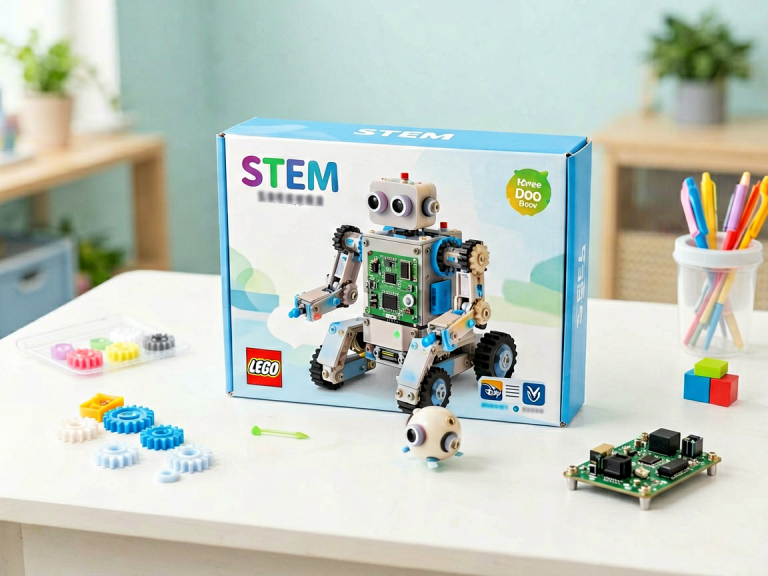
- Recommended features: Drag-and-drop coding interfaces (no reading required), obstacle avoidance sensors, and the ability to customize sounds or movements. Robots that can be built and rebuilt (like LEGO Boost or Lego Mindstorms sets) encourage engineering skills.
- Examples: Sphero Mini (a small, app-controlled robotic ball) teaches programming through games; Wonder Workshop's Dash robot responds to voice commands and can be programmed with Blockly; Cozmo (by Anki, now discontinued but still available secondhand) has a charming personality that children adore.
- Learning outcome: Children develop sequencing, logic, and debugging skills as they figure out why their code made the robot spin instead of move forward.
Ages 10–14: Advanced Coding and Real-World Applications
Pre-teens and young teens can handle more complex robot toys that involve writing actual text-based code (Python, JavaScript) or building the robot from scratch. These toys often include sensors, motors, and modular components.
- Recommended features: Ability to connect to a computer or tablet for programming, multiple sensors (distance, light, sound), and expandable parts. Robots that can be used for science experiments (e.g., measuring temperature or collecting data) are particularly engaging.
- Examples: Makeblock's mBot (a beginner-level programmable robot that requires soldering-free assembly) is excellent for learning Arduino-based programming. The VEX IQ system is used in many school robotics competitions. For those interested in humanoid robots, the EZ-Robot series allows extensive customization.
- Learning outcome: Children gain proficiency in coding, electronics, and mechanical design. They also learn project management and troubleshooting.
Ages 15 and up: Serious Hobbyist and Pre-Professional Tools
For teenagers who are passionate about robotics, the next step involves building computers from kits, working with microcontrollers (Raspberry Pi, Arduino), or participating in robotics competitions (FIRST Robotics, VEX Robotics).
- Recommended features: Open-source platforms, ability to add custom hardware, and online communities for sharing projects. Some robot toys in this category are essentially educational kits that can be used for real-world engineering.
- Examples: The Dobot Magician (a desktop robotic arm) can be programmed for pick-and-place tasks, 3D printing, and laser engraving. The LEGO Mindstorms Robot Inventor (51515) is a powerful platform for advanced building and coding.
- Learning outcome: Teens develop skills that can directly translate to careers in engineering, computer science, and automation.
Safety and Privacy Considerations for Parents
While robot toys offer tremendous benefits, they also raise important questions about safety and data privacy. As a parent, you should evaluate the following aspects before making a purchase.
Physical Safety
- Choking hazards: Check for small parts, especially with toys intended for children under 3. Magnets can be deadly if swallowed—ensure magnets are securely enclosed.
- Battery safety: Lithium-ion batteries in some advanced robot toys can overheat or catch fire. Look for toys with built-in rechargeable batteries (preferably with UL or CE certification) and avoid cheap, unbranded products.
- Sharp edges and moving parts: Robots with gears, wheels, or grippers can pinch small fingers. Read reviews and check for safety certifications from organizations like ASTM International.
Data Privacy and Online Connectivity
Many modern robot toys connect to Wi-Fi or Bluetooth, collect voice data, or even have cameras. This raises legitimate concerns.
- Does the robot have a camera or microphone? If so, read the privacy policy carefully. Some toy companies collect voice recordings to improve speech recognition, but this data could be vulnerable to breaches. Avoid toys that require constant internet connection for basic functions—offline mode is a safer choice.
- Can the robot be hacked? In 2017, a security researcher demonstrated that a popular robot toy could be remotely controlled to speak to children. Choose toys from reputable companies that issue firmware updates and have transparent security practices.
- What data is shared with third parties? Opt for toys that do not require a personal account for a child under 13. Compliance with COPPA (Children's Online Privacy Protection Act in the U.S.) or GDPR-K (in Europe) is a good sign.
Screen Time and Dependency
Some robot toys require a smartphone or tablet to operate. While this can teach digital literacy, it may also increase screen time. Set boundaries: for example, limit robot play to 30 minutes per session, and choose toys that offer autonomous play (without a screen) as well.
Budget Considerations: Getting the Best Value
Robot toys range from under $30 to over $500. The price often correlates with complexity, but expensive does not always mean better. Here is how to evaluate cost-effectiveness.
Affordable Options ($20–$60)
- Typical features: Simple line-following, voice commands, or basic programmable sequences. These robots are often made of plastic and have limited expandability.
- Best for: Young children or as a first introduction. Examples: Fisher-Price Code-a-pillar, Hexbug Nano (not programmable but fun for exploration), and the Think & Learn Teach 'n Tag Movi.
Mid-Range Options ($60–$150)
- Typical features: App-based coding, multiple sensors, interchangeable parts, and sometimes a companion app with lesson plans. These robots often support block-based coding and can be used for months or years.
- Best for: Elementary and middle school children. Examples: Sphero SPRK+, Ozobot Evo, Dash from Wonder Workshop.
High-End Options ($150–$500+)
- Typical features: Advanced programming (Python, C++), customizability, high-quality materials, and often used in school robotics competitions. Some include multiple motors, servos, and expandable electronics.
- Best for: Teens and serious hobbyists. Examples: LEGO Mindstorms Robot Inventor, Makeblock Ultimate 2.0, VEX V5 Classroom Kit.
Smart shopping tip: Look for robot toys that offer "open-ended play"—meaning the child can continue to learn new skills over time rather than quickly outgrowing the toy. A robot that can be reprogrammed is infinitely more valuable than one with fixed functions. Also, check online marketplaces for used or refurbished models; many robotics enthusiasts sell their kits after upgrading.
How to Maximize the Educational Value at Home
Buying a robot toy is only the first step. To truly benefit your child, you need to engage with the toy alongside them.
Create a "Play Lab" Environment
Set up a dedicated space with a flat surface, small obstacles (blocks, books), and art supplies (tape, markers). Encourage your child to design challenges: "Can you make the robot travel from the door to the table without touching the rug?" This turns play into a design thinking exercise.
Emphasize the Process, Not the Outcome
When a child writes a program and the robot does something unexpected, resist the urge to fix it immediately. Ask probing questions: "Why do you think the robot turned left instead of right?" or "What would happen if you changed the number here?" This teaches debugging—a critical skill in coding and life.
Combine with Storytelling
For younger children, integrate robot toys into imaginative play. The robot can be a character that needs to be rescued from a "lava floor" (a blue blanket) or a space explorer that collects data about distant planets (which you can create from cardboard). This boosts creativity and narrative skills.
Participate in Robotics Challenges
Many online platforms (such as the Wonder Workshop community or the Sphero Edu app) offer weekly challenges and projects. Joining these can provide structure and a sense of achievement. Some libraries and community centers also host robotics clubs for children.
The Future of Robot Toys: Trends to Watch
The robot toy industry is evolving rapidly. Understanding current trends can help you choose a toy that will remain relevant rather than become obsolete.
Artificial Intelligence Integration
Future robot toys will likely incorporate generative AI, allowing them to hold free-form conversations, adapt to a child's skill level, and even generate personalized stories. However, privacy concerns will intensify, so parents should stay vigilant.
Augmented Reality (AR) and Mixed Reality
Some robot toys are beginning to blend physical robots with virtual overlays seen through a smartphone screen. For example, a robot on your floor might appear as a dragon in the app. This can enhance engagement but also raises concerns about over-reliance on screens.
Modular and Sustainable Toys
Environmental awareness is pushing manufacturers to create robot toys with interchangeable parts that can be repaired or upgraded. The right-to-repair movement is gaining traction, meaning you may soon be able to buy replacement motors or sensors rather than discarding the entire toy.
Educational Syllabi Alignment
More robot toys are being aligned with school curricula, such as NGSS (Next Generation Science Standards) in the U.S. or the National Curriculum in the UK. This makes them valuable for formal learning at home. Look for toys that come with lesson plans or teacher guides.
Final Thoughts: Choosing the Right Robot Toy for Your Family
At the end of the day, the best robot toy is one that sparks genuine curiosity and joy in your child. It should be challenging enough to promote growth but not so difficult that it causes frustration. Start simple, prioritize safety, and be prepared to sit on the floor and play together. Remember: the robot is a tool, not a babysitter. The real magic happens when you share the experience—laughing at a robot that bumps into a wall, celebrating when a code finally works, and watching your child's eyes light up as they realize, "I made that happen."
By following this guide, you are not just buying a toy—you are investing in your child's ability to think logically, solve problems creatively, and embrace technology with confidence. And that is one of the greatest gifts a parent can give.